Replaceable
Swap a single damaged or worn section without rebuilding the full insert layout.

Briefcase by Potters Media
Driver CPC training rebuilt as one portable VR system. Scroll to follow 12 headsets and 1 trainer screen through the full product.
Why Briefcase exists
Every professional HGV and PCV driver needs 35 hours of Driver CPC periodic training every 5 years. Too often, that still means ageing slides in hired rooms while drivers switch off.
Briefcase brings the session to the client and turns the same requirement into a live, trainer-led VR experience.
One live system
The case, trainer app, headset viewer and course content are designed together. Each one solves a different part of delivering a room of VR training.
12 headsets stay protected, organised and charged inside one rugged transport system.
One trainer manages content, playback and every connected headset from a single desktop app.
Every trainee sees the same live session with clear playback states, progress and device identity.
Circa 120 slides work with 16 training videos produced specifically for the course.
The physical system
Every device has a defined place inside a rugged transport and charging system. The layout makes setup faster and makes a missing headset obvious before the case closes.
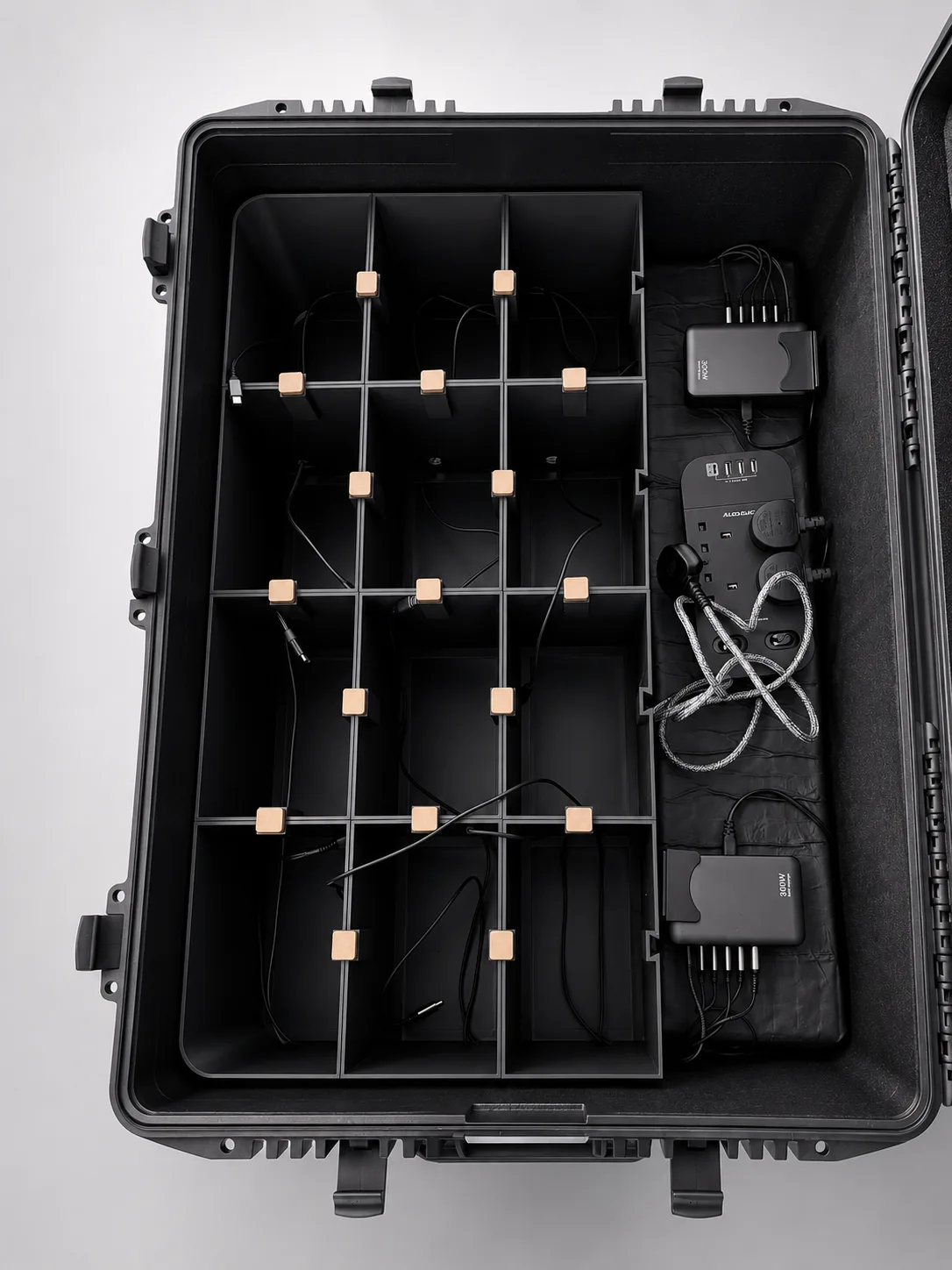
The layout is easy to inspect before setup and pack down.
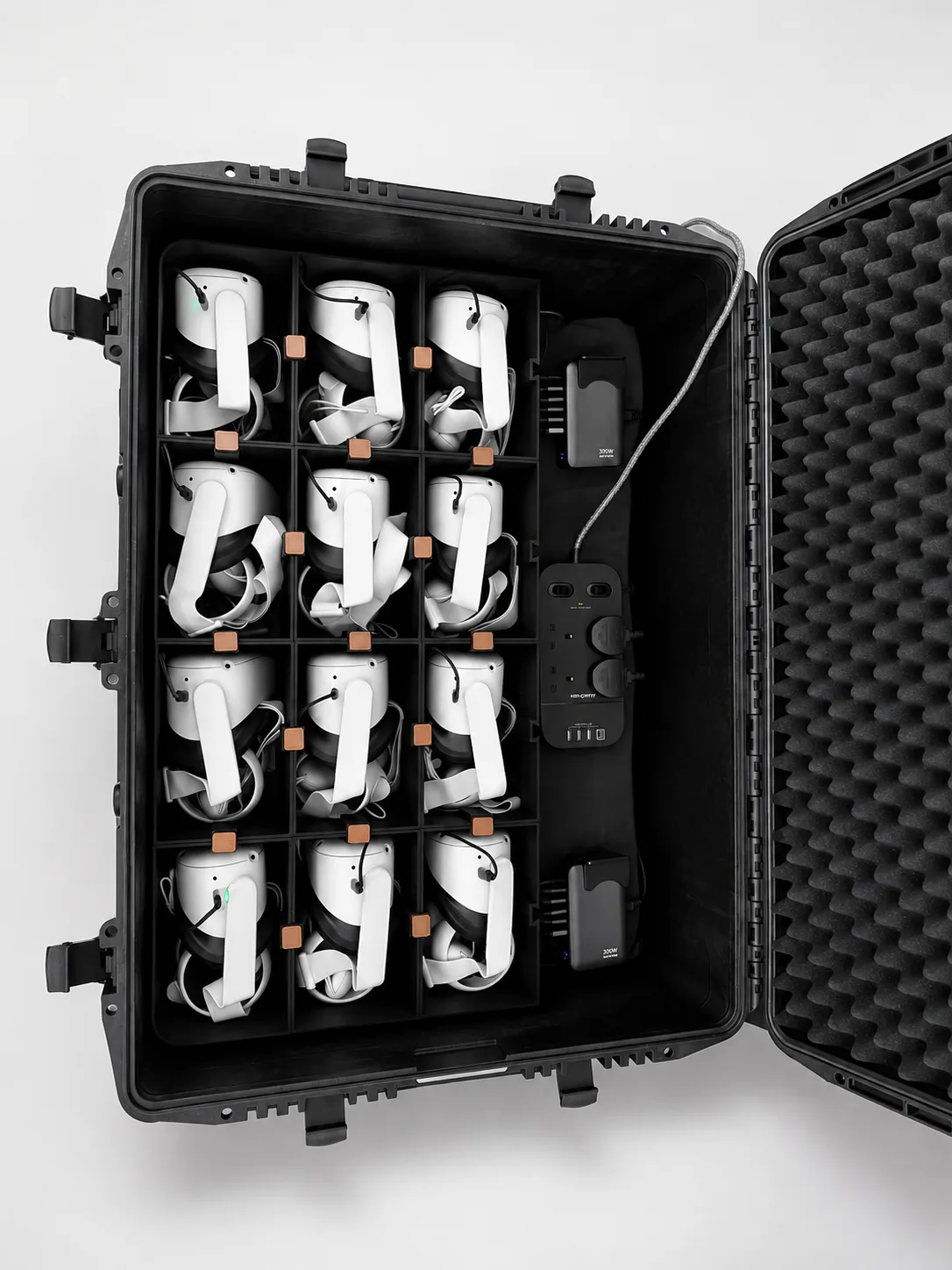
12 headsets return to fixed bays with power routed through the insert grid.
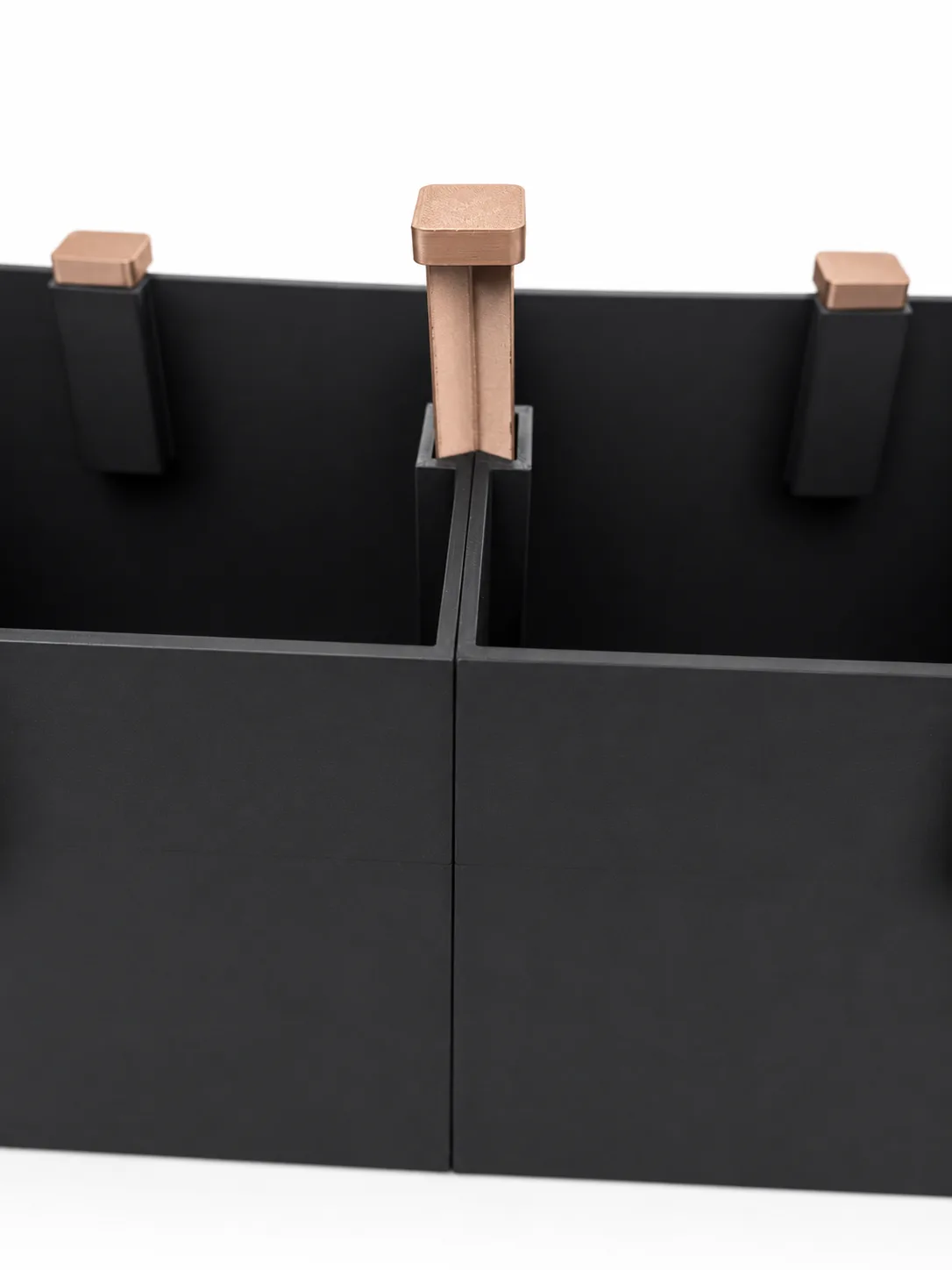
Modular by design
A bowtie key slides through the shared channel between neighbouring inserts and locks the grid into one stable structure. Individual sections can still be replaced without rebuilding the whole layout.
A secure fit in 3 steps
Removable insert modules make Briefcase easier to maintain and adapt. The bowtie key joins neighbouring sections into one stable grid while the system is packed and in use.
Adjacent inserts are positioned so their edge channels line up into one continuous slot.
The bowtie key slides down through the shared channel between the two neighbouring inserts.
The key holds both sections together, turning separate modules into one stable layout.
Inside the case
Swap a single damaged or worn section without rebuilding the full insert layout.
Locking adjacent modules together keeps the grid aligned through transport and handling.
The insert layout adapts to different headset counts. The current system is configured for 12 Quest 2 headsets.
Routing holes let charging cables pass cleanly through the insert structure, keeping power separated and the setup tidy from transport to training.
Briefcase Control
One trainer can search the library, build a queue, monitor all 12 headsets and control playback without touching a single device.
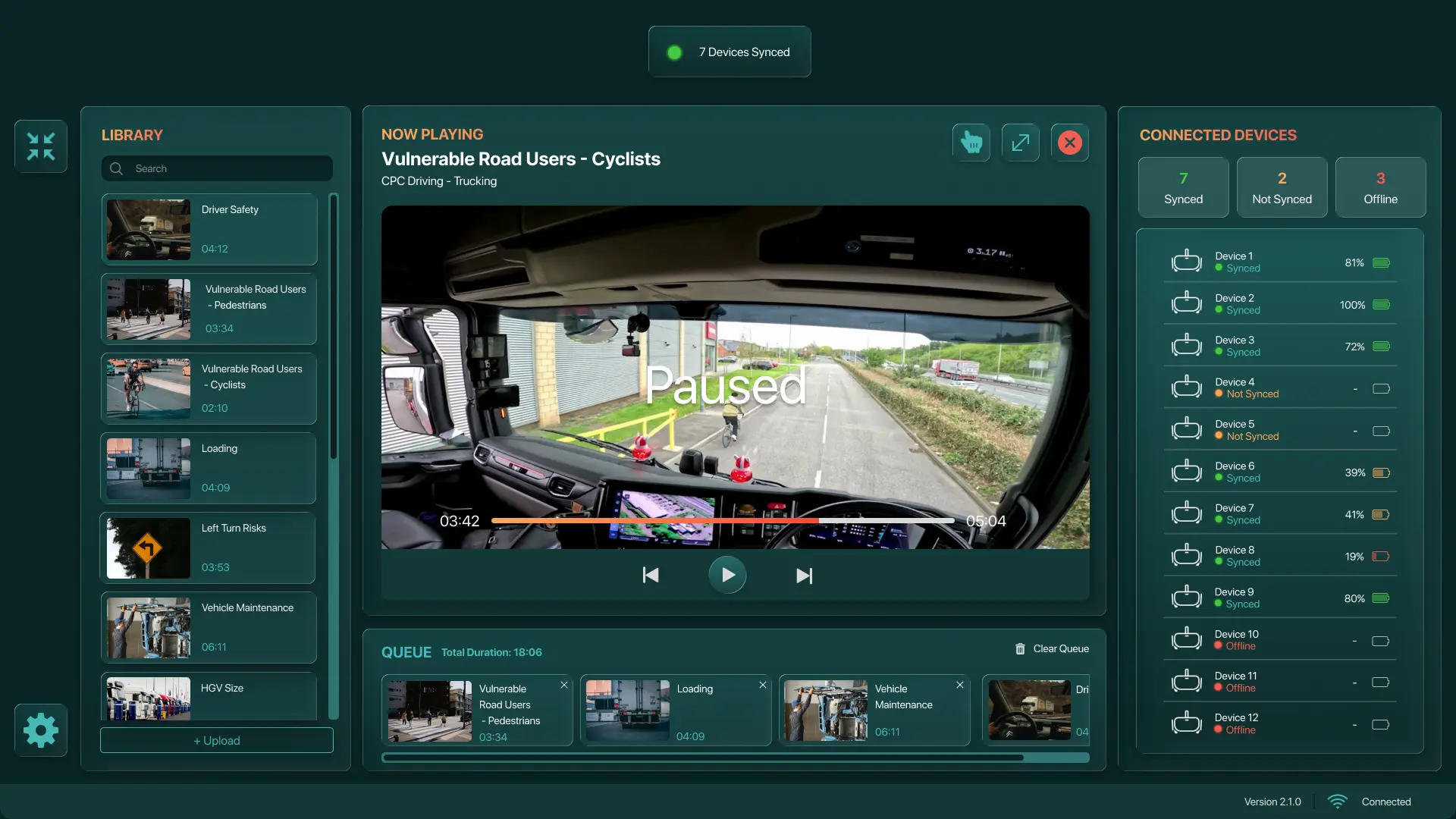
Swipe to inspect the full interface
Inside the trainer app
A single desktop app manages the video library, monitors every connected headset and drives playback for the whole room throughout the session.
Search the library, see each video's title and duration, and double-click to add it to the queue. Total duration updates automatically, so the trainer always knows how much course content remains.
Monitor every trainee headset in real time, with battery level and connection status at a glance. Synced, not synced and offline states are colour coded green, amber and red.
Play, pause, rewind and fast-forward the whole room from the trainer app. The progress bar shows the current position and the time remaining in the video.
Highlight a point of interest in real time and every trainee sees it directly in their headset view.
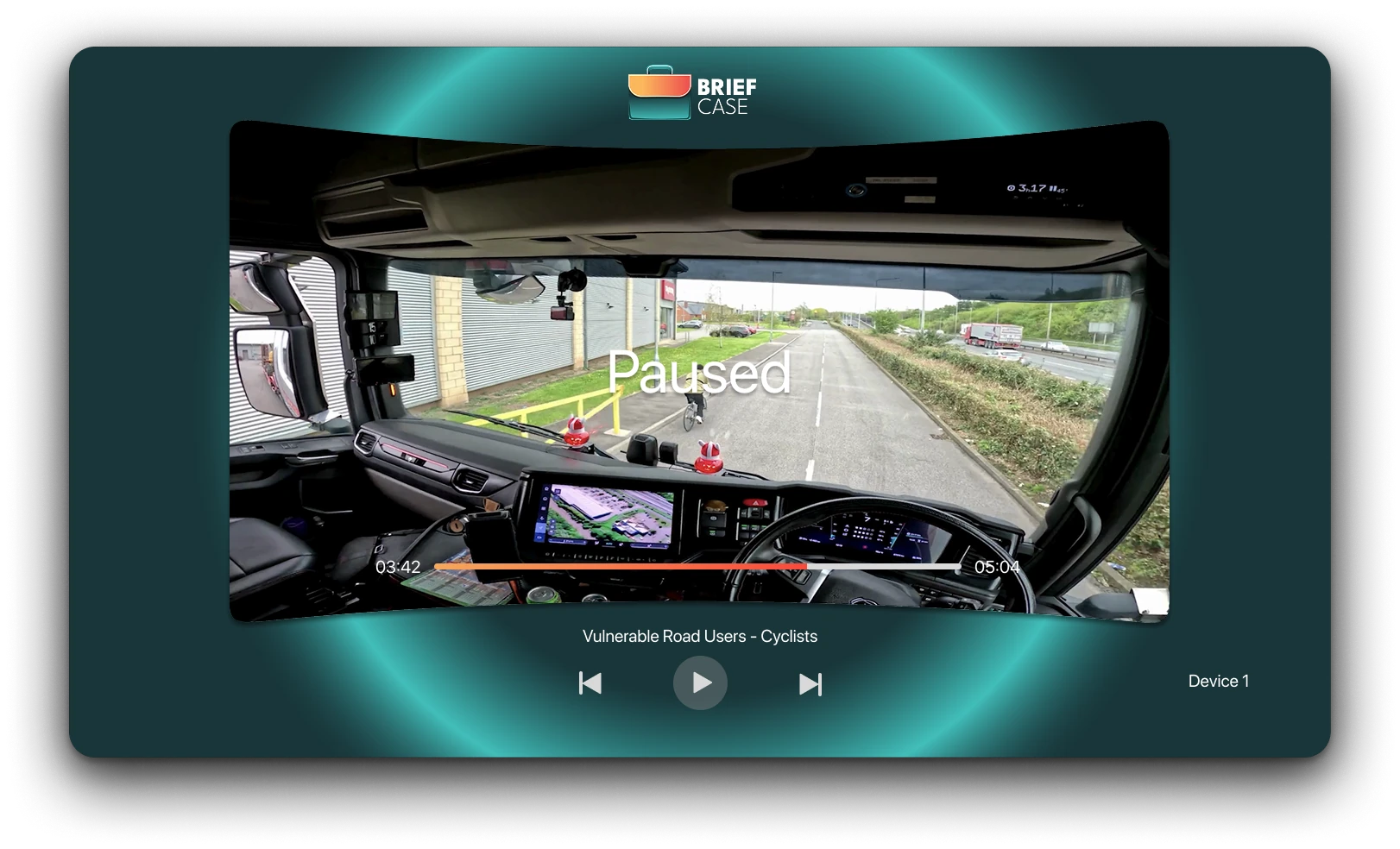
The headset viewer
The Meta Quest viewer is deliberately minimal. It stays out of the way of the training content while keeping every trainee oriented as the trainer drives the session.
The video title and progress bar update automatically as the trainer moves through the session, so trainees always know where they are.
When the trainer pauses or resumes, on-screen text makes it obvious that the session stopped intentionally.
Each headset shows a device number that matches the trainer app, so a problem device can be identified in seconds.
Course content
A presenter-led module of circa 120 slides works with 16 training videos mapped directly to the session. It is built to replace stale slide decks and legacy training footage, and is reviewed on a rolling 5-year window so it stays current.
The videos cover vulnerable road users, vehicle maintenance and HGV size awareness. They were shot in house with a hired truck, 3 GoPro Hero 13 cameras and a DJI drone.
Book a demo
We will walk you through the case, trainer app, headset viewer and course content.